ElevenLabs vs Descript for YouTube voiceovers: which one should you choose?
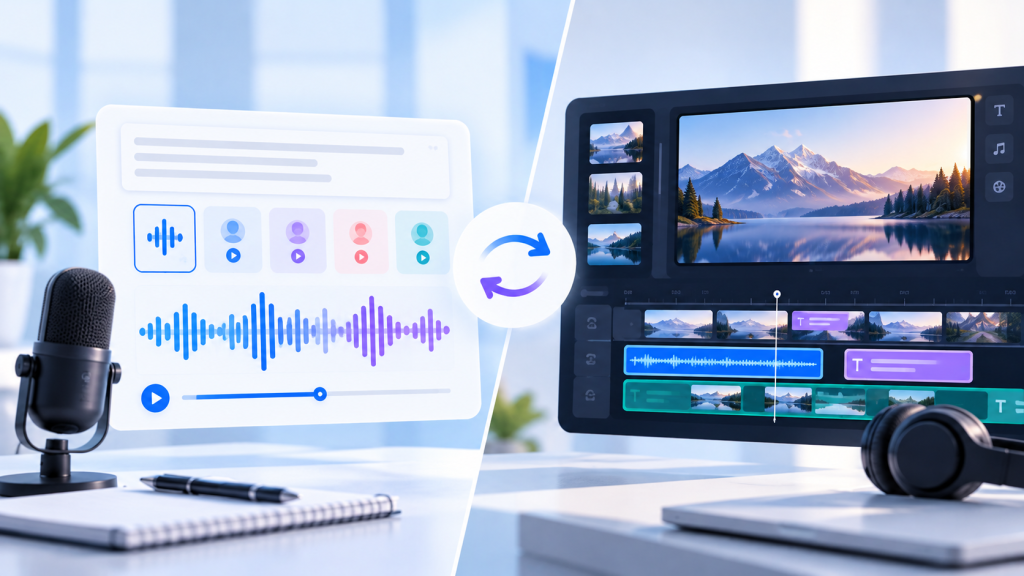
Both tools can help you create AI narration without recording every line yourself. But they solve different problems.
ElevenLabs is the stronger choice if your main goal is generating AI voiceovers. It offers dedicated text-to-speech models, voice selection, multilingual speech, and controls for different narration styles.
Descript is the better fit if you want to create, edit, caption, and export YouTube videos in one workspace. It combines AI speech with transcript-based video editing, audio cleanup, and other production tools.
For many creators, the real decision isn’t which AI voice sounds best. It’s whether you need a voice generator or a complete editing workflow.
Let’s compare the features, pricing, commercial-use considerations, and practical YouTube workflows.
Updated October 29, 2026. This comparison is based on published product documentation, not independently conducted side-by-side audio testing.
Affiliate disclosure: This article may contain affiliate or referral links. If you sign up through an eligible link, Radavora may earn a commission or referral reward at no additional cost to you. Our recommendations are based on the tools’ documented capabilities and intended use cases.
Quick Verdict: ElevenLabs or Descript?
Choose ElevenLabs if you primarily need:
- AI narration for faceless YouTube videos.
- Text-to-speech voiceovers.
- Different voices and expressive delivery styles.
- Multilingual narration.
- Audio files to use in another video editor.
Choose Descript if you primarily need:
- AI voiceovers inside a video editor.
- Transcript-based video editing.
- Automatic captions and subtitles.
- Audio cleanup for recorded speech.
- A simpler workflow for editing spoken-word videos.
Our recommendation: For creators who already edit videos in another application, start by evaluating ElevenLabs. For creators who want to reduce the number of separate production tools, Descript may be the more practical choice.
Explore the tools
Best for AI narration: ElevenLabs
Explore ElevenLabs plans and voices
Best for editing and publishing: Descript
Explore Descript plans and features
Check current pricing, eligibility, and any referral offer before subscribing.
ElevenLabs vs Descript: Feature Comparison
| Feature | ElevenLabs | Descript |
|---|---|---|
| Primary focus | AI voice generation | Audio and video production |
| Text-to-speech | Yes | Yes |
| Stock AI voices | Yes | Yes |
| Voice cloning | Available, plan-dependent | Available, plan-dependent |
| Multilingual AI speech | Yes | Yes |
| Video editing | Not its main strength | Core feature |
| Transcript-based video editing | Not its primary workflow | Yes |
| Automatic captions | Not its main selling point | Yes |
| Audio cleanup | Voice processing tools | Studio Sound and editing tools |
| Exporting YouTube videos | Usually paired with a video editor | Built-in video export |
| Free plan | Available | Available |
| Best for | Dedicated narration workflows | End-to-end spoken-video editing |
Both products offer more than the features shown here. This table focuses on the capabilities most relevant to YouTube creators.
1. AI Voice Quality and Natural-Sounding Narration
For a faceless YouTube channel, narration quality matters.
An unnatural voice can make educational videos, explainers, and documentaries harder to follow, even when the script is excellent.
ElevenLabs: Built around speech generation
ElevenLabs offers dedicated text-to-speech models designed for different needs, including expressive storytelling, multilingual narration, and faster generation.
Its speech tools support voice selection and model-specific controls that can help creators experiment with delivery styles.
This makes ElevenLabs a compelling option when the voiceover itself is the main product.
For example, you might use it to narrate:
- Educational YouTube explainers.
- Faceless documentary-style videos.
- Product demonstrations.
- Tutorial videos.
- Storytelling and entertainment content.
However, no AI voice is guaranteed to sound natural in every context. Pronunciation, script structure, selected voice, and model settings all affect the result.
Read our ElevenLabs Review (2026) for a broader overview of its features and limitations.
Descript: AI voices inside the editing process
Descript also offers text-to-speech, stock AI speakers, and custom voice options.
Its advantage is workflow integration.
You can create or revise narration while working on the video, instead of generating a separate audio file and importing it into another application.
For example, if you change a sentence in your tutorial, you can update the script and regenerate the relevant narration within your project.
This is especially useful for instructional videos that require frequent revisions.
Read our Descript Review (2026) to learn more about its editing tools.
Which has better voice quality?
We wouldn’t declare an absolute winner without testing the same script, language, voice style, and output settings in both products.
Our practical verdict: ElevenLabs offers a more dedicated voice-generation workflow. Descript offers a more integrated voiceover-and-editing workflow.
If voice performance is your highest priority, compare samples from both tools before paying.
2. Which Is Better for Faceless YouTube Channels?
Faceless YouTube channels often rely on AI narration, stock footage, screen recordings, graphics, and subtitles.
Both tools can contribute to that workflow, but in different ways.
Using ElevenLabs for faceless videos
A typical process looks like this:
- Write your YouTube script.
- Paste it into ElevenLabs.
- Choose a voice and suitable speech model.
- Generate and review the narration.
- Download the audio.
- Import it into your preferred video editor.
- Add visuals, music, captions, and transitions.
- Export the completed video.
This workflow gives you flexibility because you can combine ElevenLabs with almost any compatible editing application.
The trade-off is that you manage more than one tool.
Using Descript for faceless videos
A typical Descript workflow looks like this:
- Start a project.
- Write or paste your narration script.
- Select an AI speaker.
- Generate the voiceover.
- Add footage, images, and other visuals.
- Arrange scenes and adjust timing.
- Generate captions.
- Export the completed video.
Descript’s text-based approach can make narration changes easier to manage alongside the video.
Winner for creators who already have an editor: ElevenLabs is worth prioritizing for dedicated narration.
Winner for creators who want fewer applications: Descript is the more complete editing environment.
3. Video Editing: Descript Has the Clear Advantage
This is one of the biggest differences between the products.
ElevenLabs has expanded beyond text-to-speech into other audio and creative capabilities, but it isn’t primarily positioned as a full transcript-based YouTube video editor.
Descript is built around editing recorded and generated media.
What Descript offers
Depending on your plan, Descript includes:
- Transcript-based audio and video editing.
- Automatic captions.
- Studio Sound audio enhancement.
- Filler-word removal.
- Screen recording.
- Video layouts and visual elements.
- AI-assisted editing features.
- Video export options.
These capabilities can be valuable if your YouTube channel produces tutorials, interviews, commentary, or educational videos.
For example, you can edit spoken content by working with its transcript rather than relying entirely on a traditional timeline.
If you’ve experienced issues with automatic cleanup, our Descript filler-word troubleshooting guide explains what to check.
Does ElevenLabs replace a video editor?
Not for every YouTube workflow.
You may still need a separate editing tool to assemble footage, create visual transitions, design captions, and produce the final video.
Video editing winner: Descript.
4. Pricing: Which Tool Is Cheaper?
Pricing is important, but these products aren’t identical.
ElevenLabs primarily charges around voice-generation and other creative usage allowances. Descript combines media-processing limits with AI credits and editing features.
ElevenLabs pricing
According to the official pricing page, the standard monthly plans include:
| Plan | Monthly price | Included credits |
|---|---|---|
| Free | $0 | 10,000 |
| Starter | $6 | 30,000 |
| Creator | $22 | 121,000 |
| Pro | $99 | 600,000 |
ElevenLabs may offer introductory promotions. Credit usage varies by model and feature.
Paid plans include commercial usage rights for qualifying generated audio, subject to the applicable terms.
Descript pricing
Descript’s published pricing includes:
| Plan | Monthly billing | Main consideration |
|---|---|---|
| Free | $0 | Limited usage and exports |
| Hobbyist | $24/month | 10 media hours and 400 AI credits per month |
| Creator | $35/month | 30 media hours and 800 AI credits per month |
| Business | Check current pricing | More capacity and collaboration features |
Descript also offers lower effective monthly rates with annual billing. Hobbyist is listed at $16 per month when billed annually, and Creator at $24 per month when billed annually.
Descript’s Free plan has a 720p export limit. Hobbyist supports 1080p watermark-free export, while Creator supports 4K watermark-free export.
Which is better value?
If you only need to generate voiceovers, ElevenLabs Starter may be the less expensive starting point.
If you also need video editing, captions, recording, and audio cleanup, Descript’s higher subscription cost may replace some of the work you’d otherwise do in other tools.
Important: The lowest monthly price doesn’t necessarily represent the lowest cost for your entire production workflow.
Compare current offers
ElevenLabs: View plans and commercial licensing
Descript: View video editing plans
Prices and promotional offers can change. Confirm the final cost at checkout.
5. Commercial Use and YouTube Monetization
If you’re creating videos for a monetized YouTube channel, commercial licensing is essential.
ElevenLabs commercial rights
ElevenLabs states that its Free plan is for personal, non-commercial use and requires attribution.
Paid plans include commercial rights for qualifying generated content, subject to the platform’s terms and prohibited-use policy.
That means you should not assume that narration created on the Free plan can be used in a monetized YouTube video.
For a detailed explanation, read our ElevenLabs Free Plan Commercial Use Guide.
Descript commercial use
Descript provides AI speech and editing tools for creators and businesses.
However, commercial usage permissions depend on its applicable terms, the selected voice, the source material, and any relevant restrictions.
Before publishing monetized videos, review Descript’s current terms and make sure you have the rights needed for your particular content.
What about YouTube’s AI content rules?
A commercial license from an AI tool doesn’t automatically guarantee that a video qualifies for YouTube monetization.
YouTube also has its own policies concerning reused content, inauthentic content, copyright, and disclosure of altered or synthetic material.
Original scripts, meaningful editing, and genuine value to viewers remain important.
Licensing verdict: Check both the AI tool’s commercial-use terms and YouTube’s platform policies before publishing.
6. Which Tool Is Easier for Beginners?
Ease of use depends on what you’re trying to accomplish.
ElevenLabs is simpler for a single task
If your goal is to turn a script into narration, the workflow is straightforward:
Choose a voice, paste text, generate speech, review the result, and export.
You don’t need to learn a complete video editor to create your first audio file.
Descript reduces tool switching
Descript has more editing features to learn, but it can reduce the number of applications involved in creating a finished video.
That may be useful if you’re making talking-head videos, screen-recorded tutorials, or educational content.
Beginner verdict: ElevenLabs is easier to approach as a dedicated voice generator. Descript can be more convenient when you need an integrated editing workflow.
7. Can You Use ElevenLabs and Descript Together?
Yes, and for some creators this may be the most flexible setup.
You can generate narration in ElevenLabs and then import the audio into Descript for editing.
Example workflow
- Write a script for your YouTube video.
- Generate the voiceover in ElevenLabs.
- Download the narration.
- Import the audio into Descript.
- Add video footage, screenshots, and graphics.
- Create captions.
- Adjust pacing and timing.
- Export the final video.
This gives you access to ElevenLabs’ dedicated narration tools and Descript’s editing environment.
The disadvantage is that you may need two paid subscriptions.
Before choosing this setup, test whether Descript’s built-in AI voices already meet your needs.
For a broader comparison beyond YouTube narration, read ElevenLabs vs Descript: Which AI Tool Is Better?.
8. Which Should You Choose for Your YouTube Channel?
Here’s how we’d approach the decision.
Choose ElevenLabs if:
- Your videos depend heavily on AI-generated narration.
- You already have a video editor you like.
- You want to experiment with different AI voice styles.
- You create multilingual voiceovers.
- You don’t need a full editing application.
Choose Descript if:
- You regularly edit tutorials, interviews, or commentary.
- You want captions and voiceovers in the same application.
- You prefer transcript-based editing.
- You need audio cleanup alongside video editing.
- You want to produce and export videos from one workspace.
Choose both if:
- You need dedicated AI narration.
- You also want transcript-based video editing.
- Your publishing volume justifies using two tools.
For a new YouTube channel, we’d generally recommend starting with one tool and adding another only when you encounter a specific limitation.
Frequently Asked Questions
Is ElevenLabs better than Descript for YouTube voiceovers?
ElevenLabs is a strong choice for dedicated AI voice generation. Descript is more suitable when you also need to edit and export videos. The better choice depends on your workflow.
Can Descript generate AI voiceovers?
Yes. Descript supports text-to-speech, stock AI voices, and custom voice options. These features are integrated into its editing environment.
Can I use ElevenLabs for a monetized YouTube channel?
Qualifying audio generated on an eligible paid plan can generally be used commercially, subject to ElevenLabs’ terms. Its Free plan does not include commercial usage rights.
Is Descript good for faceless YouTube videos?
It can be. Descript combines AI narration, video editing, captions, and export tools that are useful for faceless educational and tutorial videos.
Is ElevenLabs cheaper than Descript?
ElevenLabs has a lower standard entry-level paid price. However, you may need separate video editing software, so compare the total cost of your workflow.
Can I edit ElevenLabs voiceovers in Descript?
Yes. You can import a generated audio file into Descript and use its audio and video editing tools.
Do I need both ElevenLabs and Descript?
No. Descript already offers AI speech generation, and ElevenLabs can be paired with an editor you already use. Using both is optional.
Which is better for YouTube Shorts?
Descript may be more convenient if you want to combine narration, visuals, captions, and export in one place. ElevenLabs can work well for Shorts narration when paired with a separate video editor.
Final Verdict: ElevenLabs vs Descript for YouTube Voiceovers
Choose ElevenLabs when AI narration is your main priority.
Its dedicated speech-generation capabilities make it a sensible starting point for faceless videos, explainers, and creators who already use another video editor.
Choose Descript when you need to make the entire video, not just the voiceover.
Its transcript-based editing, captions, audio cleanup, and video export features make it useful for YouTube tutorials, interviews, and other spoken-word content.
Neither tool is automatically the best choice for everyone.
Our recommendation is to start with the one that solves your biggest production problem and expand your workflow only when necessary.
Ready to try one?
For AI narration: Explore ElevenLabs plans
For AI voiceovers and video editing: Explore Descript plans
You can also read our in-depth ElevenLabs Review and Descript Review before deciding.
Sources
- ElevenLabs Pricing
- ElevenLabs Text to Speech
- Descript Pricing
- Descript AI Voiceover Generator
- Descript Text to Speech
- YouTube Channel Monetization Policies
Editorial note: This article is a feature-and-workflow comparison based on publicly available information. Radavora has not independently tested identical voiceover samples in both applications. Pricing, features, licensing, and promotional offers may change.
Affiliate disclosure: Radavora may earn a commission or referral reward from eligible links, at no extra cost to readers. Offers and eligibility are determined by the provider.