Published November 6, 2026
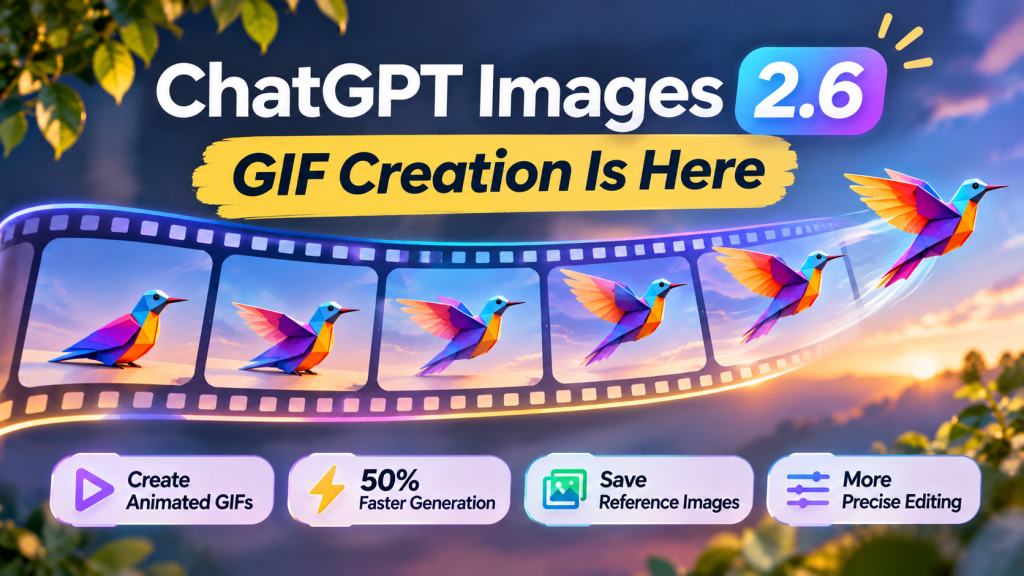
OpenAI has launched ChatGPT Images 2.6, bringing animated GIF creation, faster image generation and more precise editing to ChatGPT.
Announced on November 4, 2026, the update allows users to turn text prompts, existing images and simple sketches into looping animations.
OpenAI also introduced reusable reference images and two new image models for developers: GPT-Image-2.6 Flare and GPT-Image-2.6 Sunburst.
The update is available globally across ChatGPT subscription tiers, although GIF creation is rolling out gradually.
What’s New in ChatGPT Images 2.6?
The update introduces several improvements for creators, marketers and developers.
| Feature | What’s new |
|---|---|
| Animated GIFs | Create looping animations from prompts or images |
| Faster generation | OpenAI reports 50% faster image generation |
| Reference images | Save images for reuse in future ChatGPT conversations |
| More precise editing | Better consistency when changing parts of an image |
| API models | New Flare and Sunburst options |
| Developer controls | Image markup, SVG exports and adjustable complexity |
For everyday ChatGPT users, GIF creation and saved reference images are the most noticeable additions.
How to Create an Animated GIF With ChatGPT Images 2.6
You can create an animated GIF by describing the motion you want.
Step 1: Open ChatGPT
Open ChatGPT on the web, desktop or mobile.
Make sure image generation is available in your account. GIF creation is being rolled out, so it may not appear for everyone immediately.
Step 2: Describe Your Animation
Enter a prompt explaining what should move and whether the animation should loop.
For example:
Create a seamless looping GIF of a small cartoon robot waving hello. Keep the background stationary and make the motion smooth.
You can also upload an existing image or sketch and ask ChatGPT to animate it.
Step 3: Refine the Result
Once the GIF is generated, you can request changes to the motion, appearance or timing.
OpenAI says users can adjust GIF playback speed and edit individual frames.
Step 4: Save or Share Your GIF
When you’re satisfied with the animation, use the available download or sharing controls.
GIFs can be useful for social media posts, animated illustrations, product demonstrations and simple website graphics.
Tip: For smoother looping animations, describe a short repeating action rather than a complicated scene with many moving objects.
What if GIF Creation Isn’t Available?
OpenAI says Images 2.6 is available globally across ChatGPT subscription tiers.
However, its release notes specifically describe GIF creation as a feature that is rolling out.
If ChatGPT doesn’t generate an animated GIF yet:
- Check whether the feature is available in your account.
- Try the latest ChatGPT app or the web version.
- Make your request explicit by asking for an animated GIF, not just an image.
- Try again after the rollout reaches your account.
There is no need to assume that a paid subscription will immediately unlock a feature that has not yet reached your account.
ChatGPT Images 2.6 Is 50% Faster
OpenAI says Images 2.6 generates images 50% faster than before.
The company is also introducing two API models with different priorities.
GPT-Image-2.6 Flare
Flare focuses on faster generation.
According to OpenAI, it can generate images in as little as six seconds when using low-quality settings.
The model is intended for workflows where speed matters, including rapid design iteration.
GPT-Image-2.6 Sunburst
Sunburst prioritizes visual quality and precision.
OpenAI says it offers greater image consistency across edits, particularly at medium and high image-quality settings.
For developers, the choice between Flare and Sunburst depends on whether speed or image fidelity is more important.
The reported speed improvements are OpenAI’s figures, not independent benchmark results.
Saved Reference Images Make Editing Easier
Another important addition is the ability to save reference images for reuse.
For example, you could save a photo of a pet under a name and refer to it in a later conversation without uploading the same image again.
This could be useful for:
- Keeping a character consistent across illustrations.
- Reusing product references in marketing graphics.
- Creating multiple designs featuring the same subject.
- Reducing repeated uploads during creative projects.
OpenAI also says Images 2.6 improves consistency when editing existing images.
That means users should be better able to change a background or individual object without unintentionally changing other parts of the image.
New Tools for Developers
Images 2.6 also expands the API’s creative controls.
Developers gain access to:
- Image markup: Identify specific areas of an image for targeted edits.
- SVG export: Create vector graphics for websites, applications and print.
- Complexity controls: Adjust how much planning the model uses for an image request.
- Image-quality settings: Balance speed against visual detail.
OpenAI recommends lower complexity for many quick editing tasks, while more complicated scenes may benefit from higher settings.
These controls are particularly relevant to applications that generate product graphics, advertising visuals or reusable design assets.
Is ChatGPT Images 2.6 Free?
Images 2.6 is available across ChatGPT subscription tiers, including Free.
However, availability does not mean every plan has identical usage limits.
The number of images or GIFs you can create may depend on your subscription and current account limits.
OpenAI has not announced a separate consumer GIF subscription in its Images 2.6 launch post.
Frequently Asked Questions
Can ChatGPT make animated GIFs now?
Yes. ChatGPT Images 2.6 introduces animated GIF creation from text prompts and existing images. The feature is rolling out gradually.
Can I turn a photo into a GIF with ChatGPT?
Yes. OpenAI says Images 2.6 can animate an existing image or sketch.
Is ChatGPT Images 2.6 available for free?
The Images 2.6 update is available across ChatGPT subscription tiers, including Free. Usage limits can vary.
What is the difference between Flare and Sunburst?
Flare prioritizes faster image generation. Sunburst focuses on higher-quality results and stronger consistency across edits.
Does Images 2.6 support SVG files?
Yes. OpenAI introduced SVG export capabilities for developers using the Images 2.6 API.
Final Thoughts
ChatGPT Images 2.6 makes image generation more useful for creators who need motion, consistent characters and faster editing.
GIF creation is the headline feature, but saved reference images and improved editing consistency could be equally valuable for recurring creative work.
The update is available globally, with GIF functionality continuing to roll out across accounts.
For developers, Flare and Sunburst introduce new options for balancing generation speed, visual quality and control.
Sources
- OpenAI — Introducing Images 2.6
- OpenAI Help Center — ChatGPT Release Notes
- OpenAI Developer Community — Images 2.6 Announcement
Editorial disclosure: This article is based on OpenAI’s November 4, 2026 announcement and official release notes. Speed improvements and model capabilities are company-reported claims and have not been independently benchmarked by Radavora. GIF availability may vary during the rollout.